
Setup
Intro
Enhance your Shopify Thank You page with Verify to engage customers immediately after purchase. Once installed, the extension appears automatically at the top of the Thank You page and is ready to use.
Setup
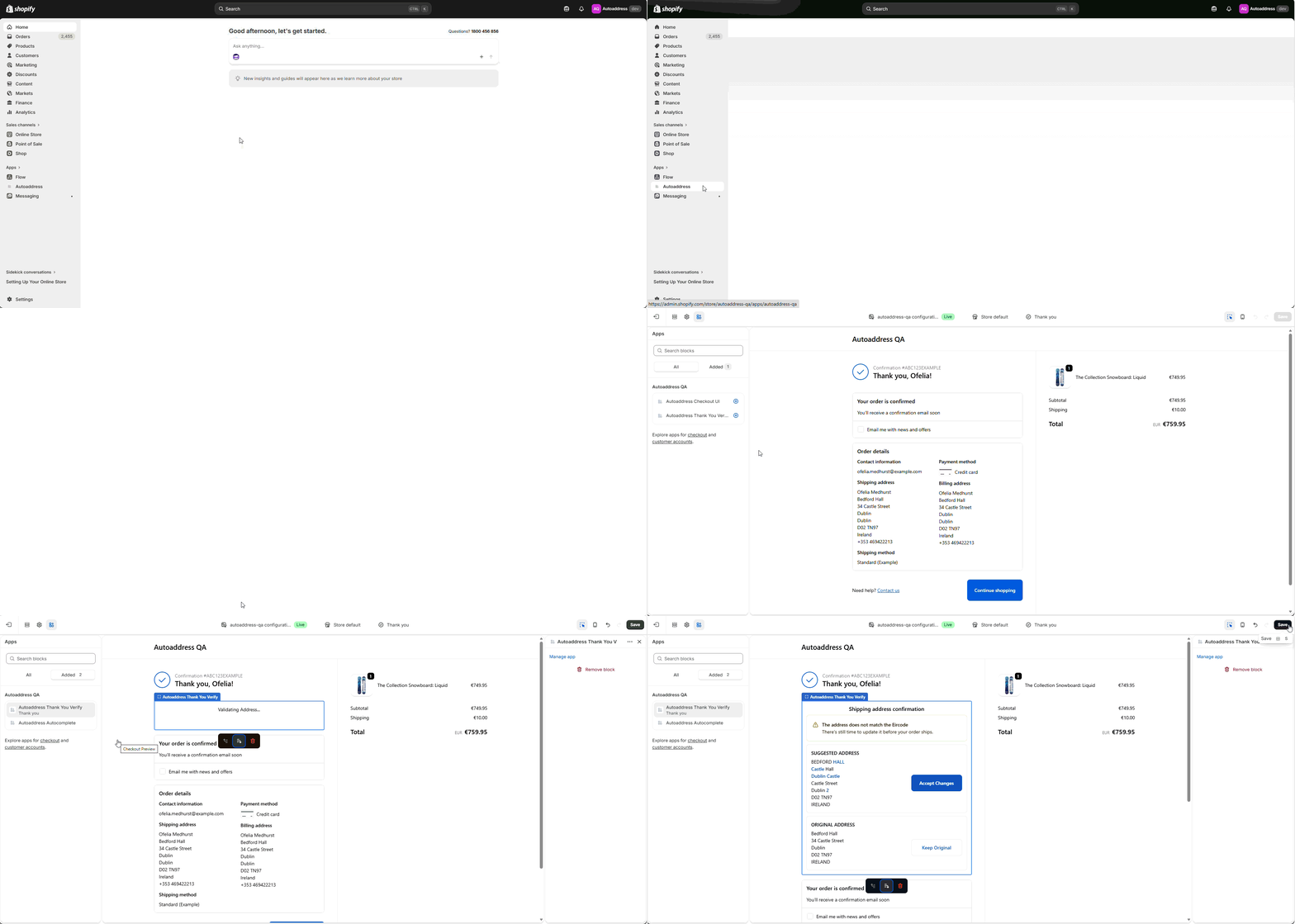
Follow these steps to add the extension:
Open your Shopify Admin
Go to Apps → Autoaddress
Click Customize thank you
Under Autoaddress select the + button beside Autoaddress Thank You
In the Add to pop up box, select the Thank you option
Click Save
That’s it — the extension will automatically position itself at the top of the Thank You page.
Verify Installation
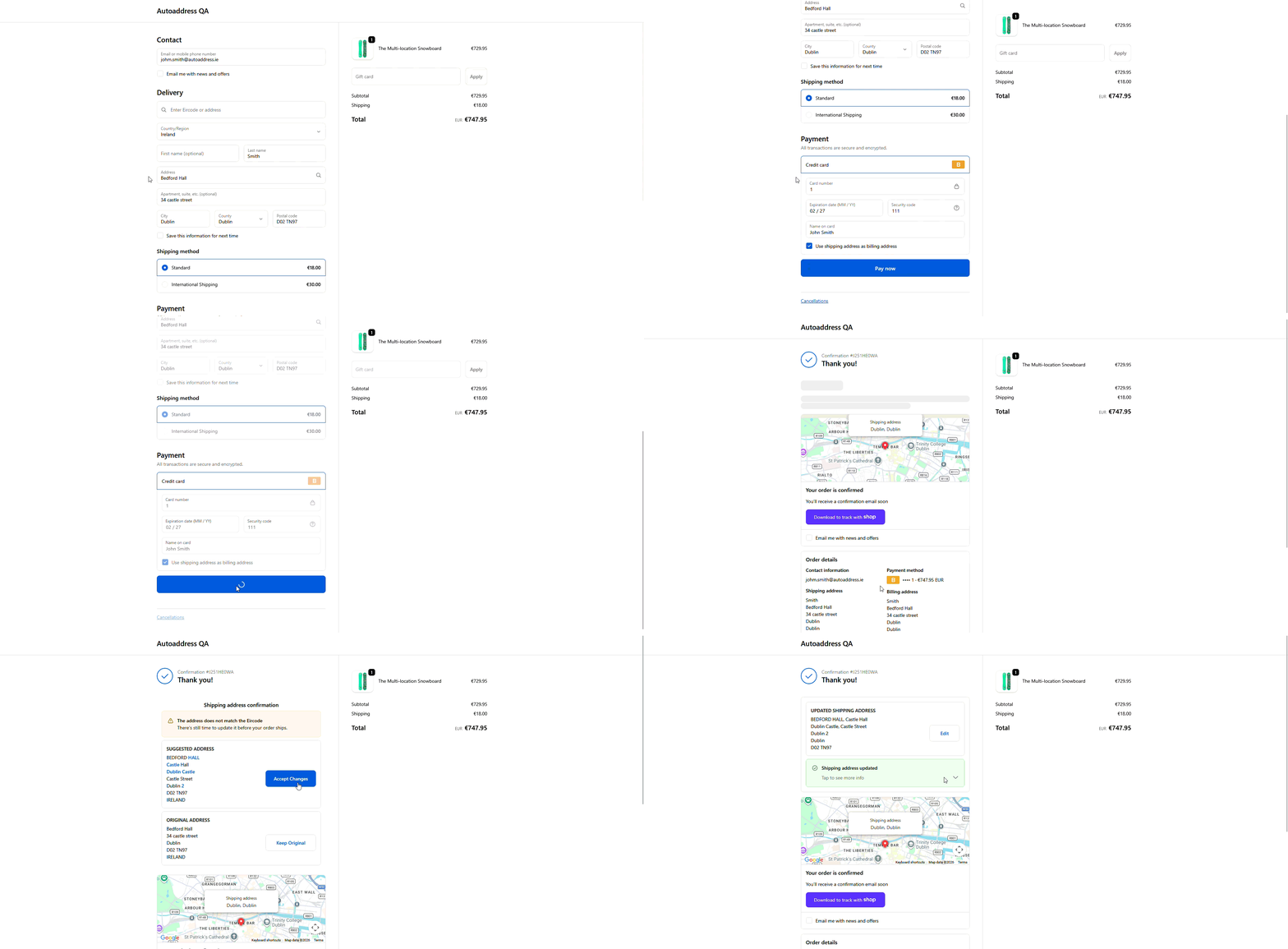
To see Verify working:
Place a test order on your store
After checkout, you’ll land on the Thank You page
The Verify extension will appear at the top
Interact with the component to confirm it’s working correctly
Tips
Use a test payment method for quick validation
Refresh the page if the extension doesn’t appear immediately
You’re now live with Verify on your Thank You page.